
Simulated Grading Minimum Configuration Requirements
Simulated Grading is built for testing a Two Boxes configuration. As such, the simulated grading event will react to the Return SOP as configured in the Two Boxes system.
This means that any line item that is included in the simulate grading payload must map to a product type that is included in a Ruleset in the merchant's Two Boxes SOP. If the line item cannot be mapped via it's product type to a Ruleset, it will automatically be assigned a "No Defects" grade and a "Return to Stock" disposition, regardless of what's provided in the line_item_dispositions object.
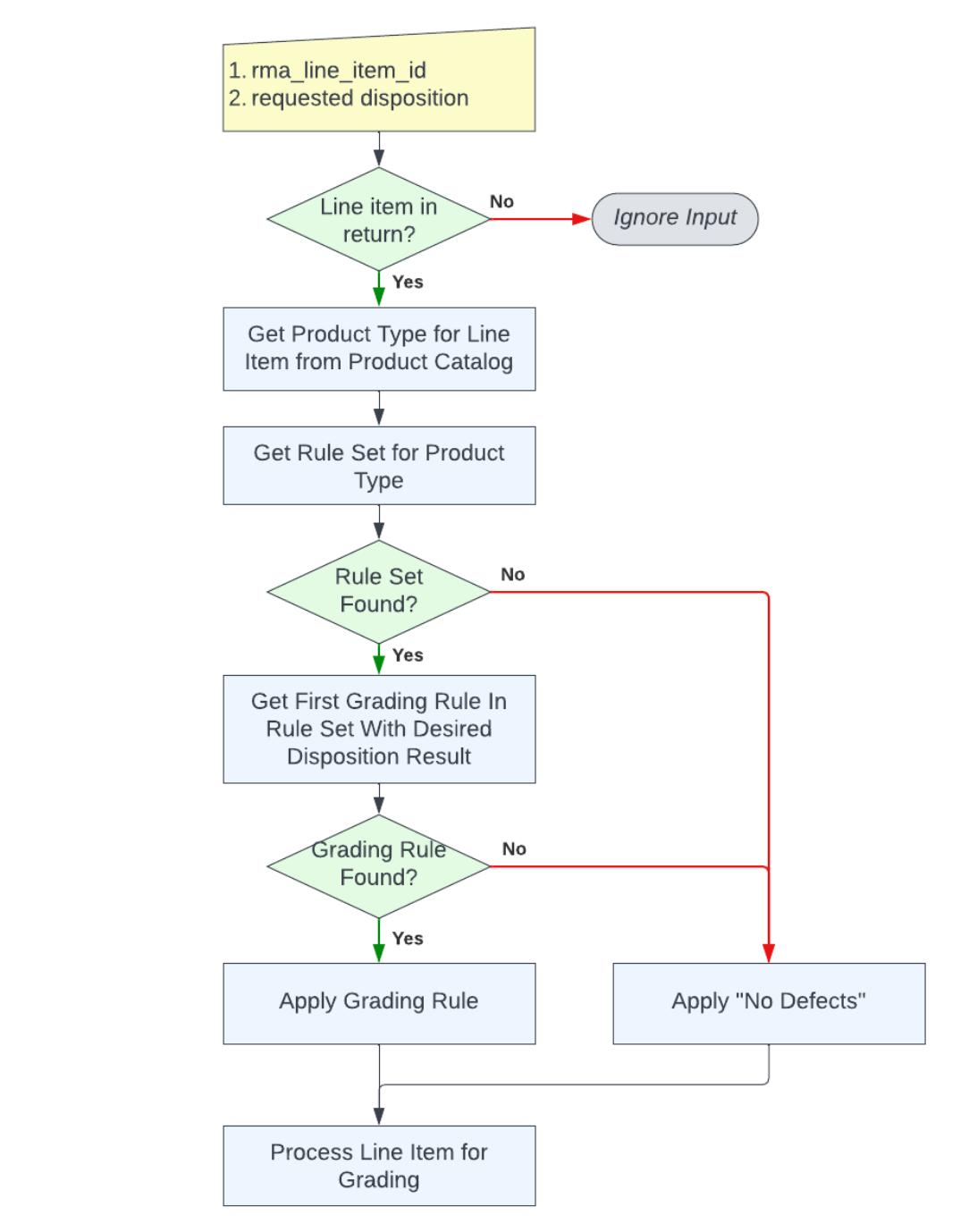
The possible values of the Two Boxes disposition values are as follows:
- Return to Stock
- Return to Stock - Resale
- Donate
- Recycle
- Missing
- Dispose
- Ship Back to Customer
- Exception
Here is an example payload that could be sent to mark the first item in the return as Return to Stock and the second item in the return as Donate.
{
  "event_type": "simulate-return-grading",
  "event_data": {
    "rma_return_id": "{{rma-return-id}}",
    "line_item_dispositions": [
      {
        "rma_line_item_id": "id",
        "disposition": "Return to Stock"
      },
      {
        "rma_line_item_id": "id2",
        "disposition": "Donate"
      },
    ]
  }
}
Note that the comments field will indicate that the grading was initiated via simulated grading. All other optional fields (put away location, etc) will be null.
Post-Grading Events
If the Two Boxes merchant integration configuration is configured for outbound webhooks, you will receive POSTed events to those configured URLs as if a grader completed the return on the tablet.
If the Two Boxes merchant integration is configured with an RMA provider integration and/or a WMS integration, any events that are triggered following grading of a line item will be triggered.